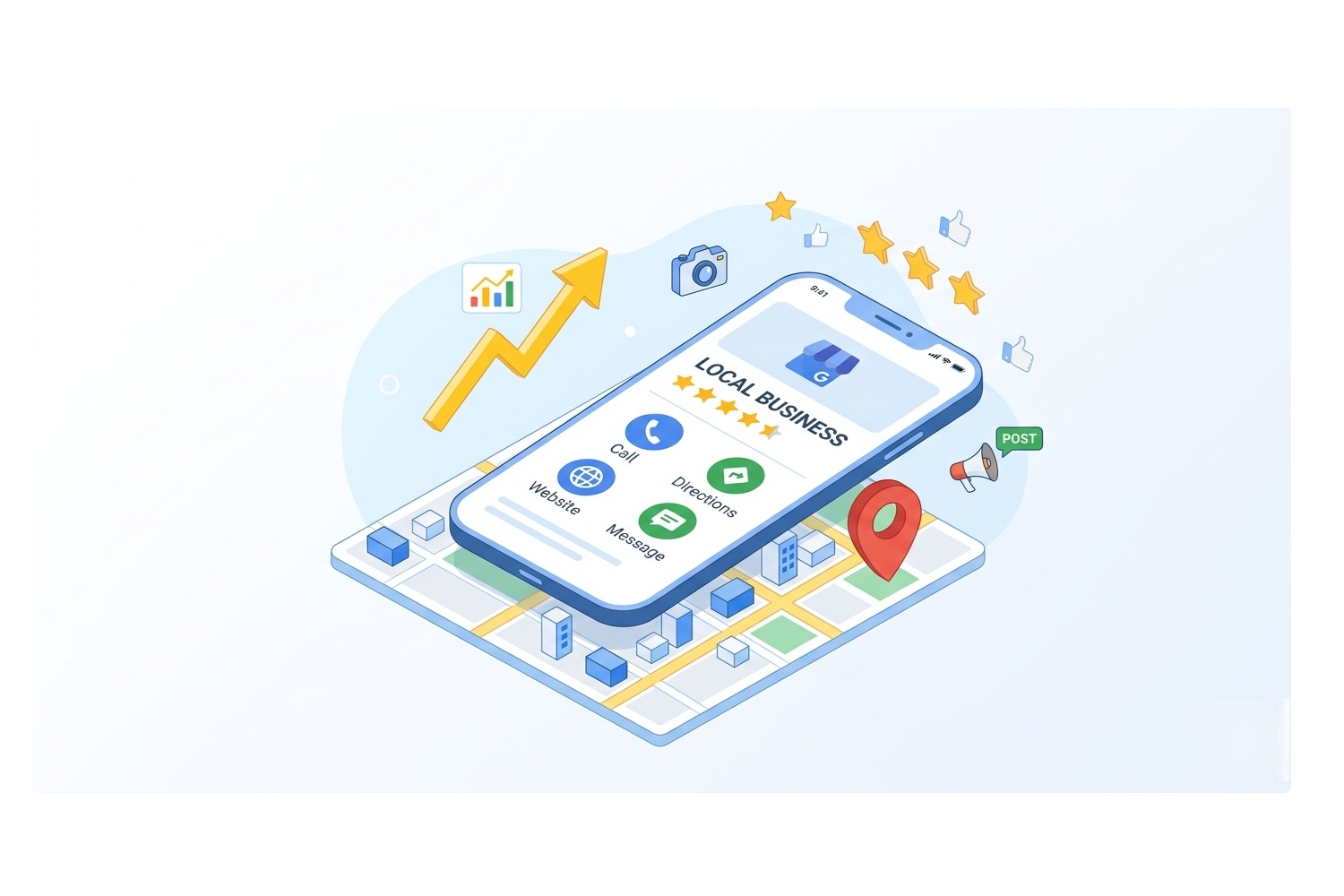
Complete Guide to Optimizing Your Google Business Profile
A Complete Guide to Google Business Profile Optimization: How to Maximize Visibility and Conversions
In the digital era of 2026, the Google Business Profile (GBP) is a key tool for connecting businesses with customers.
Every month, Google facilitates more than 2 billion direct connections, including phone calls, direction requests, messages, and bookings for millions of businesses.
A complete and up-to-date profile is not just a business card, but the main engine of your discoverability in Google Search and Maps.
Google has released playbooks for Google Business Profiles,
connecting ours 10 years of education on Google Maps, resulting in this unique article 🌍
Ethical Code for Google Business Profile Management: The Digisolu Standard for the 21st Century
1. Basic Building Blocks: Accuracy and Completeness of Information
Ensuring accurate and up-to-date data is the first step to strengthening customer trust.
Statistics show that businesses with a detailed profile are 29% more likely to see customers purchase from them.
Furthermore, regularly updated profiles receive 5x more views and 7x more clicks than incomplete profiles.
The core data you must keep in shape includes:
-
Business name and description: A brief overview of what you offer and what makes you unique.
-
Operating hours: Accurate times, including special adjustments for holidays, prevent customer frustration and build reliability.
-
Category: Choosing the right primary category defines your main business for Google’s algorithm, while secondary categories refine other offered services.
2. Visual Identity: A Story That Sells
If your profile could talk, what story would it tell? High-quality photos and videos showcase your uniqueness and help customers understand why they should choose you.
-
Reach: Businesses with photos receive 42% more requests for directions on Google Maps.
-
Trust: Up to 90% of people are more likely to visit a business that has photos, videos,
or 360 virtual tour on Google. -
Conversions: The presence of photos increases click-throughs to your website by 35%.
3. Dynamic Communication via Google Posts
Unlike static information, Google Posts create a live and engaging presentation.
Since 50% of customers look for promotions or discounts during online searches, posts are the ideal place to share them.
-
Post types: Utilize updates, offers, and events.
-
Best practices: Publish at least once a week, use relevant keywords, and complement posts with attractive visuals and dates.
-
Practical results: A case study shows that the active use of posts can increase impressions on Maps by up to 31%.
4. Building Trust Through Reviews and Social Media
Reviews are a necessity nowadays and serve as powerful social proof.
-
Influence: 91% of consumers use reviews to evaluate local businesses.
-
Interaction: 65% of people are more likely to choose a business that actively responds to reviews.
-
Tip: You can create QR codes directly in your Google Business Profile that direct customers to write a review. Place these codes on receipts, menus, or in your storefront window.
Connecting with social media (Facebook, Instagram, X, YouTube) is also important.
This allows your social posts to appear directly in search results, increasing the overall comprehensiveness of your online presence.
5. Industry Specifics and Advanced Features
Every type of business has access to specific tools within GBP:
Hotels and Accommodation
Hotels can manage detailed attributes (amenities) like „Pet-friendly“ or „Free Wi-Fi“, which are displayed as colorful icons.
A key feature is the ability to link other businesses located in the building (e.g., a restaurant or spa) to the hotel profile using the „Located In“ feature, creating a comprehensive digital map of your property.
Restaurants and Gastronomy
For restaurants, the menu is the most important factor.
-
Decision-making: 43% of final decisions to visit a restaurant are made after studying the menu, and 84% of users view the menu online beforehand.
-
Visuals: Users are 32% more likely to click on a menu item that includes a photo.
-
Structure: The menu should be comprehensive (including sides and drinks), rich in descriptions and prices, and regularly updated.
Services and Tourism
Service providers should use service lists with detailed descriptions and prices, which builds immediate trust.
To increase conversions, it is crucial to activate direct bookings via approved booking partners (the „Book Online“ button).
Tourism businesses can additionally utilize the ticket editor to make activity planning easier for customers.
6. Profile Management: Verification and Ownership
To manage your profile and communicate with customers, verification is essential.
The verification method (e.g., a video recording of the business) is automatically assigned based on your business category.
Taking control of your digital storefront (claiming) is the first and crucial step to ensuring your business appears accurately on Google.
Optimizing your Google Business Profile is not a one-time task, but a process of continuous improvement and communication that directly impacts your business’s success in local search.
A little caffeine break for the author?
Do you like this article and feel it saved you hours of fumbling with settings?
My keyboard runs exclusively on caffeine power, and your support keeps the engine running!
If you want to support the creation of more guides or simply send me a „digital tip“ for a coffee, you can do so by donating to the transparent bank account Fio 2602098198/2010
IBAN: CZ07 2010 0000 0026 0209 8198
BIC/SWIFT: FIOBCZPPXXX
QR code works in your bank’s app
Your karma (and my french press) will be immensely grateful!🌍
What are the methods to verify my profile?
There are a total of five available methods to verify a Google Business Profile, with the specific method automatically assigned to your business based on its category. This selection cannot be changed.
Key information about the verification process includes:
-
Method assignment: Google itself determines which of the five methods is most suitable for your type of business.
-
Business video recording: One of the frequently used methods is uploading a video, which must include the business location, equipment, and proof that you are authorized to manage the business (e.g., unlocking the entrance or operating the cash register).
-
Review duration: The verification review process can take up to 5 business days.
-
Reason for verification: Without completing verification, you cannot edit key business information, such as the name or operating hours, nor can you communicate with customers.
If your video is not approved the first time, Google will provide feedback with specific reasons for the rejection and tips on what needs to be fixed. Common mistakes include a missing business name on the storefront, insufficient footage of the surroundings, or failure to prove authorization to represent the business.
How to upload a business video recording for successful verification?
For successful verification of your profile using a video recording, the video must clearly prove three key facts: your location, your business equipment, and your authorization to manage the business.
Here is a detailed guide on what the video must contain and how to proceed:
1. What the video recording must capture
For the verification to be successful, the video must include these elements:
-
Location and surroundings: Shoot exterior footage showing the surroundings of your business. This includes street signs, neighboring businesses, or clearly recognizable landmarks in the area.
-
Visual identity of the business: The video must clearly show your business name located on permanent fixtures, such as a signboard, wall, or storefront window.
-
Proof of management (authorization): You must prove that you have the authority to represent the business. You do this by capturing yourself on video unlocking the entrance to the premises, operating a cash register, or entering employee-only areas.
2. Uploading process
-
Search for your business in Google Search or Maps to access your profile management.
-
Select the „Verify“ option. If Google has automatically assigned you the video recording method (this method cannot be changed), you will see the „Business Video“ option.
-
Follow the on-screen instructions to start recording. The video is used solely for verification purposes and will not be published.
3. Important information and common mistakes
-
Review duration: The review process for your video can take up to 5 business days.
-
Feedback: If the video is not approved, Google will send you specific reasons for the rejection and tips on what to fix so you can upload a new recording.
-
Most common reasons for rejection: Missing business name on the building, insufficient footage of the surroundings, or missing proof that you have access to key business areas (e.g., you don’t have the keys to the entrance).
Completing this process is essential before you can start editing business information, such as operating hours, and communicating with customers.
What to do if Google rejects my verification video?
If Google rejects your verification video, you will receive clear feedback with specific reasons why it was not approved, along with tips for remediation.
Based on this information, you must shoot and submit a new video recording.
The most common issues cited by Google that need fixing include:
-
The business name is not displayed on the premises: The video must clearly capture the business name printed on permanent elements, such as a signboard, wall, or window.
-
Missing footage of the surroundings: It is necessary to show street signs, neighboring businesses, or clearly recognizable landmarks around your location.
-
You did not prove authorization to represent the business: You must prove in the recording that you have access to the business, for example, by unlocking the main entrance, entering employee-only areas, or operating a cash register.
Available support options:
-
Verification tool: Use the specialized Google Business Profile verification tool directly to resolve verification issues.
-
Help Center: Browse the library of articles and guides addressing the most common verification questions.
-
„Contact Us“ Form: If you can’t find an answer in the Help Center, you can contact Google’s support team directly.
-
GBP Help Community: You can post a question to the forum, where „Product Experts“ can help you. They have deep knowledge of GBP and can escalate your request directly to Google in complex cases.
Remember that the verification review process can take up to 5 business days.
What are the other verification methods besides video recording?
According to sources, there are a total of five available verification methods for the Google Business Profile.
Although the sources do not explicitly list all five methods by name, they provide the following essential information about them:
-
Automatic assignment: Google automatically selects a specific method for your business based on the category your business falls into.
-
Inability to change: Once a verification method is assigned by Google, it cannot be changed.
-
Review duration: Regardless of the chosen method, the review by Google can take up to 5 business days.
The sources focus in detail on the business video recording method, which requires capturing the location, equipment, and proof of management (e.g., unlocking the entrance).
Information beyond the sources: For completeness, here are the standard methods Google typically offers in addition to video recording (this information is not directly in my sources, and I recommend verifying it independently):
-
Phone or SMS: Receiving a code via a call or text message.
-
Email: Sending a verification code to an official business email address.
-
Mail: Sending a postcard with a unique code to the business address (traditional method).
What are the benefits of using QR codes for reviews?
Using QR codes for reviews, which you can create directly in your Google Business Profile (GBP), brings several major benefits to the growth of your business:
-
Simplifying the path to a review: These QR codes are easily scannable by customers and take them directly to your Google Business Profile, removing barriers that might deter them from writing a review.
-
Increasing the number of ratings: Thanks to easy access, QR codes significantly encourage customers to leave more reviews.
-
Placement flexibility: You can place codes in strategic locations directly in your establishment, such as on receipts, menus, or in the storefront window, allowing customers to react while their experience with your service is fresh.
-
Building trust and visibility: Acquiring new reviews is crucial because 91% of consumers use reviews to evaluate local businesses. Positive reviews act as strong social proof and increase your visibility in Google Search and Maps.
-
Supporting customer decision-making: High-quality reviews can be the deciding factor that makes a customer choose your business over the competition.
Furthermore, pairing these codes with active responses to reviews is highly effective, as 65% of consumers state they are more likely to choose a business that responds to customer feedback.
Do business smartly and support the author 🌍
If this guide has helped you achieve better business results, I would appreciate any support to the transparent bank account Fio 2602098198/2010
IBAN: CZ07 2010 0000 0026 0209 8198
BIC/SWIFT: FIOBCZPPXXX
Every contribution helps keep this content updated and available to all entrepreneurs who want to grow.
How to best set up a Google Business Profile for tourist attractions?
To optimally set up a Google Business Profile for tourist attractions and tours in 2026, it is essential to combine accurate basic data with visual storytelling and direct ticket sales options.
A complete profile can bring a business up to 7x more clicks and 5x more views than an incomplete one.
Here are the key optimization areas for tourist attractions:
1. Basic Information and Discoverability
-
Correct category: Choose a primary category that accurately defines your activity (e.g., „Tour operator“ or a specific type of attraction) so the algorithm presents you correctly in relevant searches.
-
Compelling description: Create a brief overview of what makes your attraction unique and why customers should visit.
-
Operating hours: Maintain accurate times and don’t forget holiday hours, which customers rely on heavily when planning trips.
2. Visual Identity and Storytelling
Visual content is absolutely crucial for attractions because people are looking for experiences.
-
High-quality photos, videos, and 360 virtual tours: Businesses with photos get 42% more requests for directions and 35% more click-throughs to their website.
-
Trust: Up to 90% of people are more likely to visit a place that has uploaded photos
or a 360 virtual tour on Google. -
Regularity: Upload new images directly through the „Photos“ section in your profile to keep your presentation fresh.
3. Ticket Sales and Activity Management
This is a specific feature for the tourism sector that significantly increases conversions.
-
Ticket Editor: Allows you to quickly (under 5 minutes) and freely add ticket purchase options directly to your profile.
-
Partner integration: If you use an approved booking technology partner, Google automatically synchronizes prices and availability, saving time and unlocking access to new features and ads.
-
Growing interest: Searches for queries like „unique things to do near me“ have grown globally by over 100%, making a direct booking option a necessity.
4. Active Communication and Social Media
-
Google Posts: Publish news, events, or special offers at least once a week. Active use of posts can increase impressions on Google Maps by up to 31%.
-
Social media linking: Add links to Facebook, Instagram, YouTube, or LinkedIn so the 20% of customers who check these networks before visiting can easily view your latest content.
-
Reviews: Positive ratings serve as strong social proof and fundamentally influence tourists‘ decision-making.
5. Specific Attributes and Contact
-
Business attributes: Mark features like „wheelchair accessible“ or „Wi-Fi“, which helps customers filter search results according to their needs.
-
Direct communication: Activate chat links (WhatsApp or SMS) so tourists can easily contact you with questions while on the go.
How to best set up a Google Business Profile for home service businesses and freelancers?
For businesses and freelancers providing home services (such as repairmen, cleaning services, or tradespeople), it is crucial in 2026 to properly configure specific Google Business Profile features that highlight trustworthiness and service areas.
A complete profile can bring up to 7x more clicks than an incomplete one.
Here is a guide to the best setup for this sector:
1. Defining the Service Area
Because home service customers usually don’t come to you, but you go to them, setting up your service area is absolutely essential.
-
How to do it: In the „Edit profile“ section, select „Location“ and under „Service area“, define the geographic regions you serve.
-
Benefit: This setting ensures you appear in relevant local searches and customers in that area can easily find you.
2. Detailed Service List
A comprehensive list of offerings builds immediate trust and clarifies customer expectations.
-
Structure: Organize your services into clear categories.
-
Details: Add a detailed description and price to each service.
-
Custom services: If you cannot find your specific activity in Google’s predefined list, you can add a custom service name (however, avoid putting prices directly in the name, or the service might be rejected).
3. Direct Bookings and Appointments
Sources state that 77% of consumers expect the option to book services online.
-
„Book Online“ button: If you use an approved booking partner, Google activates this prominent button directly on your profile.
-
Reserve with Google: This feature is also available for home services and allows customers to schedule an appointment directly from search, without having to click through to your website.
4. Fast Communication (Chat and Messages)
Many customers prefer a quick message over a phone call.
-
Activating chat: Add a WhatsApp link or activate SMS chat directly in your profile.
-
Availability: This feature allows you to stay in touch with your audience, whether they are asking about price, availability, or need support.
5. Visual Proof of Work and Trustworthiness
Photos, videos, or 360 photos tell the story of your business and show the quality of your work.
-
Content types: Upload „before and after“ shots, photos of your equipment, or your team at work.
-
Impact: Businesses with photos receive 42% more requests for directions and 35% more click-throughs to their website.
-
Reviews: Actively collect ratings. Positive reviews serve as powerful social proof, which is absolutely crucial for home services (where people let strangers into their privacy).
6. Advanced Discoverability via Local Services Ads
For maximum visibility at the top of search results, select home service categories can utilize Local Services Ads.
This tool requires a screening and verification process, but it secures a prominent spot in Google Maps and Search.
7. Dynamic Posts (Google Posts)
Share weekly updates, seasonal offers (e.g., „summer AC prep“), or events.
-
Active use of posts can increase impressions on Maps by up to 31%.
-
It is recommended to publish at least once a week and use relevant keywords.
How to best set up a Google Business Profile for restaurants?
For restaurants, the Google Business Profile (GBP) is an absolutely crucial tool in 2026, as up to 84% of users view a menu online before choosing a new establishment.
A well-configured profile increases trust and discoverability, with complete profiles receiving up to 7x more clicks than incomplete ones.
Here is a guide to the best profile setup for a restaurant:
1. The Menu: Your Strongest Weapon
The menu is the most important factor guests use to decide where to eat.
-
Structured menu: Use detailed dish names, descriptions, prices, and dietary attributes (e.g., vegetarian). Guests are 32% more likely to click on a menu item that includes a photo.
-
Comprehensiveness: The menu should cover everything from main courses to sides, drinks, and specials.
-
Ways to add: You can upload the menu as a link, a photo (or PDF), or use the Menu Editor in GBP.
-
Freshness: Regularly update the menu to reflect seasonal offerings and current prices.
2. Reservations and Online Orders
In 2026, 80% of consumers in the US expect to be able to reserve a table or order food online directly from a profile.
-
Action buttons: Activate prominent buttons like „Reserve a Table“ or „Order Online“.
-
Reserve with Google: This feature allows customers to make a reservation right within Google’s interface without clicking through to other sites.
-
Partners: If you use an approved reservation partner, Google will automatically display your capacities and prices.
3. Visual Identity (Photos and Videos)
Visual content tells the story of your restaurant and shows what makes you unique.
-
Impact on footfall: If you have photos or a 360 virtual tour on your profile, people are 90% more likely to visit you.
-
Reach: Businesses with photos receive 42% more requests for directions on Google Maps.
-
Content: Showcase not only the food but also the interior, the atmosphere, and the team.
4. Active Communication and Posts
-
Google Posts: Share limited-time offers, events (e.g., trivia night), or menu updates. 50% of customers look for discounts or promotions during online searches.
-
Frequency: Publish posts at least once a week.
-
Chat: Activate direct communication via WhatsApp or SMS so customers can easily send you questions.
5. Review Management and Social Media
-
QR codes for reviews: Create QR codes in GBP and place them on receipts, menus, or windows to encourage customers to leave a rating.
-
Interaction: Respond to reviews to build trust – 65% of people are more likely to choose a business that responds to feedback.
-
Social linking: Add links to Facebook, Instagram, or YouTube. This allows your social posts to appear directly in search results.
6. Attributes and Basic Data
-
Attributes: Don’t forget to check specific features like „outdoor seating“, „Wi-Fi“, „dog-friendly“, or „step-free entrance“. These details are displayed right in Search and Maps.
-
Operating hours: Maintain accurate opening hours, including holiday hours, to prevent customer frustration.
-
Category: Select a precise primary category (e.g., „Asian restaurant“) and add relevant secondary categories (e.g., „Bar“) so Google categorizes you correctly.
How to best set up a Google Business Profile for hotels?
To achieve the best results with a Google Business Profile (GBP) for hotels in 2026, it is crucial to focus on information completeness, visual presentation, and the integration of direct bookings.
Statistics show that businesses with a detailed profile are 29% more likely to have customers buy from them, while complete profiles receive 7x more clicks than incomplete ones.
Here are specific steps for optimal hotel profile setup:
1. Accurate Information and Categories
-
Basic data: Ensure the business name, description, and contact information are always up to date, which strengthens trust and discoverability.
-
Category selection: You can choose one primary category (e.g., „Resort hotel“) that defines your main business, and up to 9 secondary categories for a detailed description of other services.
2. Managing Amenities and Hotel Specifics
Hotels have access to unique features in GBP that are not available to other businesses:
-
Attributes and details: In the „Hotel details“ section, you can directly edit attributes like check-in and check-out times.
-
Hotel highlights: Google displays important amenities (e.g., „Free Wi-Fi“, „Pet Friendly“, or „Free Parking“) in the form of colorful icons, providing customers with an instant overview.
3. Visual Presentation and Storytelling
Visual content is critical for hotels, as 90% of people are more likely to visit an establishment that has photos or a 360 virtual tour on Google.
-
High-quality content: Upload photos and videos showing different room types, property facilities, and offered services.
-
Impact on conversions: Profiles with photos receive 42% more requests for directions on Google Maps.
4. Linking to Other Facilities (Sub-businesses)
If your hotel houses a restaurant, bar, spa, or boutique, you can create separate business profiles for them.
-
„Located In“ feature: By linking these profiles to the main hotel profile, you create a comprehensive digital map of your property.
-
Benefit: These facilities then appear in specific searches and can be visited by people who are not hotel guests.
5. Bookings and Prices (Free Booking Links)
To maximize direct conversions, take advantage of free booking links.
-
Partner collaboration: By connecting with a technology partner, you can display current room rates and availability directly on your profile.
-
Results: Hotels with over 100 organic clicks per month see an average of 30% more direct bookings thanks to these links.
6. Active Communication and Reviews
-
Google Posts: Publish news, events, or special packages (e.g., „Weekend Getaway“) at least once a week.
-
Social media: Add links to Facebook, Instagram, YouTube, or LinkedIn so your social posts can appear directly in search results.
-
Review management: Actively respond to ratings, because 65% of consumers favor a business that communicates with them.
You can place QR codes in the hotel to direct guests to write a review.
Remember that for any information edits or customer interactions, your profile must first be verified using one of the five automatically assigned methods.
Want to get the most out of Google Maps without the work?
Digisolu is here for you!
Google Business Profile optimization is a long-distance run.
If you want to focus on your business and leave the management of your digital storefront to the professionals, Digisolu offers a helping hand.
We will provide complete GBP management for you: from professional photography and category setup to regular posts and review management.
Gain an edge over the competition and be visible where your customers are searching for you.
Let’s dominate local search together!
Write to Zdenek
📧 zdenek@digitalsolution.marketing
You can find service packages here:
Google business Profiles – https://digitalsolution.marketing/google-business-profile/
360 photo – virtual tour not only Google –
https://digitalsolution.marketing/360-virtual-tour-street-view-in-google-maps/
Street View Blue Line –
https://digitalsolution.marketing/street-view-blue-line-in-google-maps/
Solve the problem with your Google business profile –
https://digitalsolution.marketing/google-business-profile-problem-solving/
https://digitalsolution.marketing/360-virtual-tour-street-view-in-google-maps/
https://digitalsolution.marketing/street-view-blue-line-in-google-maps/
https://digitalsolution.marketing/google-business-profile-problem-solving/
Sources – Manuals:
https://digitalsolution.marketing/wp-content/uploads/2026/04/Official_GBP_Best_Practices_Playbook_2026.pdf
https://digitalsolution.marketing/wp-content/uploads/2026/04/Restaurant_GBP_Best_Practices_Playbook_2026.pdf
https://digitalsolution.marketing/wp-content/uploads/2026/04/Services_gbp_best_practices_playbook_2026.pdf
https://digitalsolution.marketing/wp-content/uploads/2026/04/Hotels_GBP_Best_Practices_Playbook_2026.pdf
https://digitalsolution.marketing/wp-content/uploads/2026/04/Tours__Attractions_GBP_Best_Practices_Playbook_2026.pdf
Other articles –
https://digitalsolution.marketing/ten-reasons-why-gemini-ai-would-collaborate-with-digisolu/